

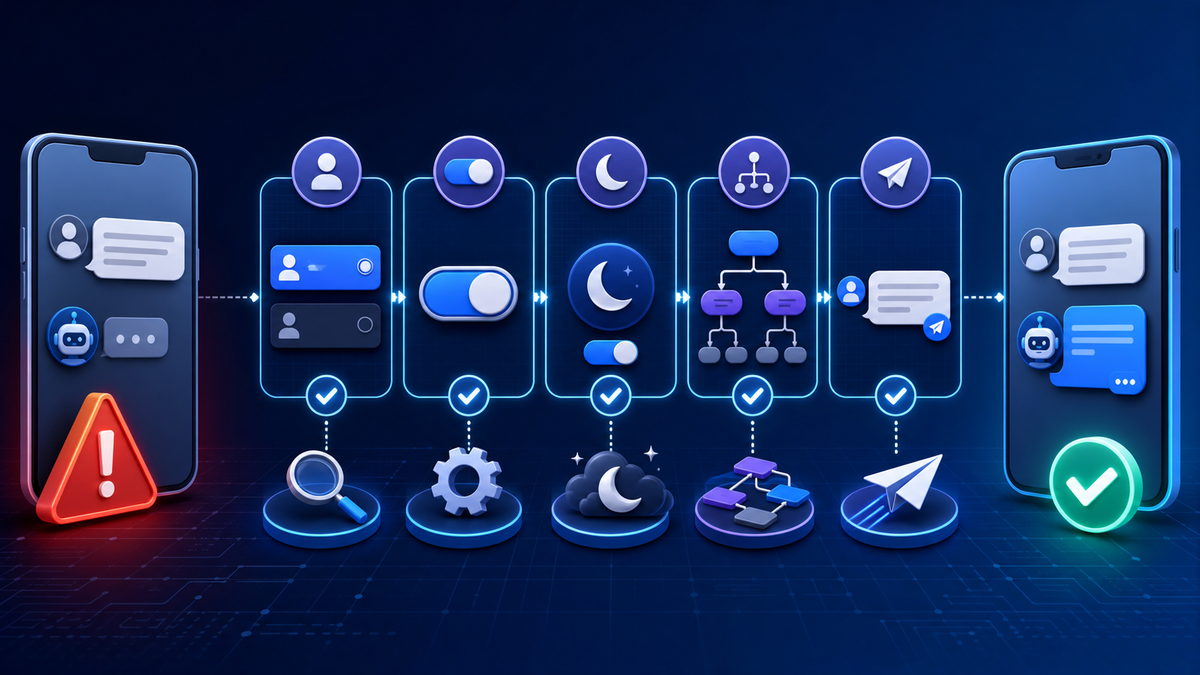
An automatic response that worked yesterday can fail for a surprisingly ordinary reason: the wrong Page is selected, a switch was saved in the off position, the Page is marked Away, or the test is happening in an existing conversation that does not meet the trigger conditions.
The fastest way to find the cause is to test one layer at a time. Confirm identity and access first, then activation, availability status, trigger logic, delivery, and human fallback. Rebuilding the whole workflow before those checks usually creates more uncertainty.
Record the Exact Failure Before Changing Anything
Write down the Page, channel, automation name, test account, date, time, device, and message used. Note whether no reply arrived, the wrong reply arrived, the response was delayed, or the next button or link failed.
This snapshot prevents a team from mixing several issues together. A message that does not trigger is different from a response that arrives but points to a broken booking page. Treat each symptom as a separate test.
| Symptom | First check | Evidence to save |
|---|---|---|
| No reply | Page, channel, activation, and availability state | Configuration and test timestamp |
| Wrong reply | Trigger priority and keyword match | Message used and response received |
| Reply arrives late | Connection state and test conditions | Sent and received times |
| Next step fails | Link, form, button, or handoff destination | Final URL and failure screenshot |
If the workflow was working previously, record recent changes: Page access, connected account, business hours, wording, keywords, forms, links, or team roles. That narrows the investigation without assuming the latest change is always the cause.
Confirm the Correct Page, Channel, and Access
Businesses that manage several Pages can edit the right-looking automation in the wrong workspace. Verify the Page name and the connected Messenger channel before touching the message body.
Confirm that the current operator still has the access needed to manage Page messages. A role change or disconnected asset can interrupt an otherwise valid workflow. Use the approved account connection process rather than sharing credentials between team members.
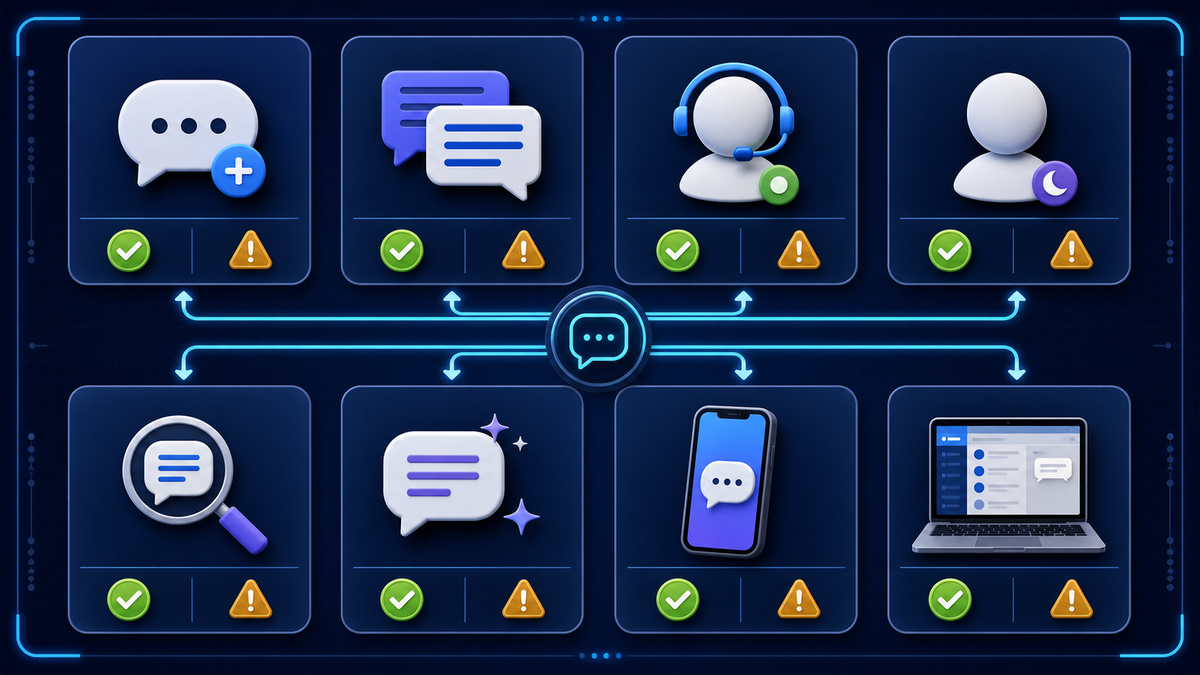
Open the public Page and send a normal message from a separate test account. If the Page itself cannot receive the message, the automation is not yet the first problem to solve.
Check Every Activation Control
Open the automation and inspect the main on/off control plus any channel-specific setting. Save the configuration, leave the screen, and return to make sure the state persisted.
Some systems separate a draft from an active workflow. Others allow a workflow to be active while one trigger or channel is disabled. Read the current status at each layer rather than relying on the fact that the message editor opened successfully.
The practical Facebook Messenger auto reply guide separates instant replies, away responses, keyword routes, structured workflows, and human handoff. That model helps identify which control should be active for the behavior being tested.
Compare Staffed and Away Status
An instant reply and an away response serve different moments. If the Page is marked Away, the instant response may not behave as expected. Check the current availability state and any schedule that changes it automatically.
Test once while the Page is intentionally staffed and once while it is intentionally away. Record which response arrives. Do not disable a useful away message just to make the instant reply appear; decide which customer expectation should apply in each state.
Check the time zone behind the schedule. A team may believe it is testing during staffed hours while the Page is applying a different local time. Daylight-saving transitions and manual overrides can also create temporary mismatches.
Use Fresh and Existing Conversation Tests
An instant reply normally belongs at the beginning of a conversation. Repeatedly messaging from the same account can produce different results because the thread is no longer new.
Use a fresh test account or a documented reset condition when possible. Then test an existing conversation separately. The goal is not to force the same response in both cases; it is to verify that each state behaves according to the workflow design.
Test on mobile and desktop because links, buttons, previews, and connection state can differ. Capture the received message and time so the result is reviewable by another operator.
Test Keywords Like a Real Customer
A keyword route may work for the exact word in the editor and fail for the phrase a customer naturally types. Test capitalization, plural forms, punctuation, common misspellings, and extra words around the intent.
If precise matching creates too many dead ends, offer buttons or a short menu. Include a fallback that asks the person to describe the request or request human help. Repeating the same unmatched prompt is not recovery.
Keep the keyword list tied to clear business topics such as pricing, hours, booking, returns, or service area. Do not add dozens of vague terms that can trigger the wrong route.
Verify Every Link and Downstream Action
A delivered reply is still a failed workflow when its next step is broken. Open links on a phone, complete the form with safe test data, and verify that the business receives the submission.
Check buttons, calendars, secure-account routes, and handoff notices. Confirm that the human responder sees the customer’s selected topic and relevant answers instead of asking the customer to start over.
Technology operations benefit from maintaining a current record of public assets and dependencies. Dipstar’s guide to building a practical software asset inventory explains the same discipline: know which component owns each public function before a failure occurs.
Design a Fallback for Unrecognized or Sensitive Requests
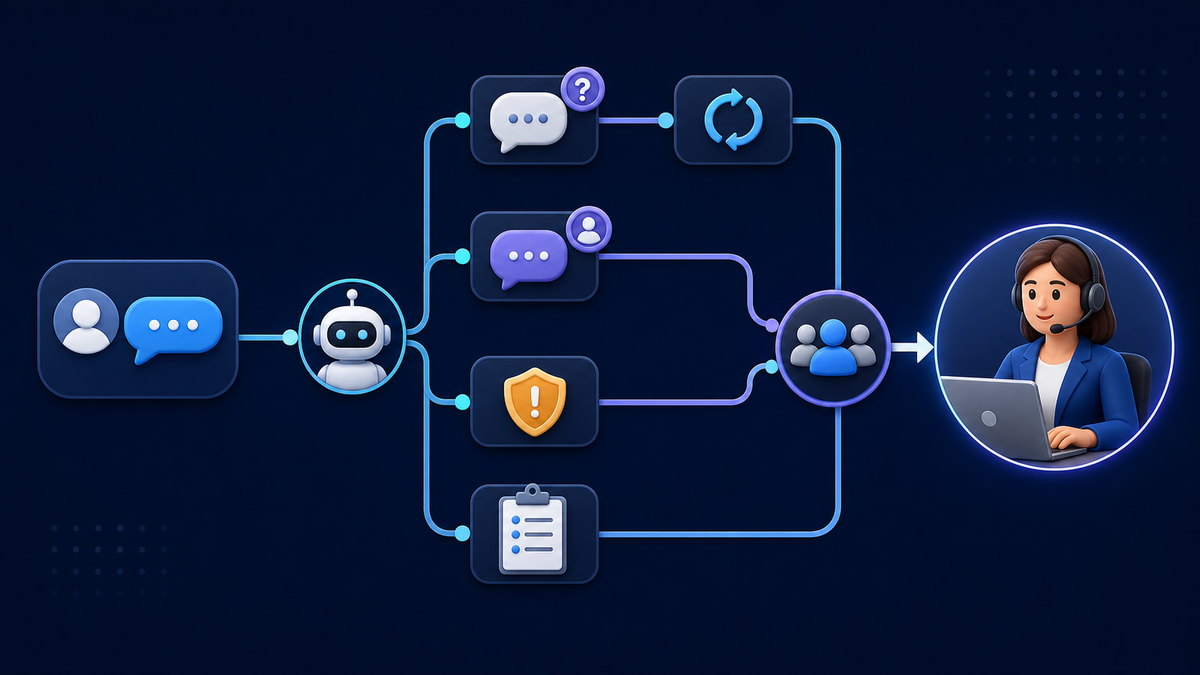
A safe workflow stops trying to automate when confidence is low. After one clarification attempt, let the customer write the request in their own words or reach a person.
Escalate complaints, cancellations, billing or account changes, safety concerns, and requests with legal, medical, or financial consequences. Do not use a generic generated answer to make a decision that requires business judgment.
The handoff should tell the customer what will happen next and when the team is normally available. Pass a concise context summary to the responder, including the selected topic, details the customer chose to provide, and the last automated message.
Keep a Small Test Log
A useful log does not need to be complex. Record the test condition, expected result, actual result, evidence location, owner, and next review date. Repeat the same tests after changes to access, schedules, wording, keywords, forms, or connected assets.
Separate product behavior from account-specific behavior. A successful test on one Page does not prove that another Page has the same access, schedule, or active configuration.
Operational continuity also requires a clear record of domains, hosting, public pages, and account owners. Dipstar’s article on technology transition records shows why a future operator should be able to understand the system without relying on one person’s memory.
Use This Diagnostic Order
- Record the exact failure and test conditions.
- Confirm the Page, channel, and current operator access.
- Check the main activation state and channel-specific controls.
- Compare staffed and away status.
- Test a fresh conversation and an existing thread separately.
- Try exact keywords and natural variations.
- Open every link and complete the downstream action.
- Request a person and confirm the handoff context.
- Save the evidence and schedule a retest after changes.
Frequently Asked Questions
Why did an instant reply stop working?
Common causes include the wrong Page or channel, a disabled automation, Away status, a test in an existing thread, changed access, or a trigger that no longer matches the customer’s wording.
Should I rebuild the workflow when no reply arrives?
No. Confirm identity, access, activation, status, and test conditions first. Rebuild only after the evidence shows that the workflow configuration itself is the cause.
Why does the exact keyword work but a normal sentence fail?
The route may use narrow matching. Add common variations, use buttons, or provide a fallback that accepts free-form wording and offers human help.
How should I test an instant reply?
Use a separate account and a fresh conversation, then test an existing thread as a different condition. Check mobile and desktop and record the received message and time.
When should automation hand off to a person?
Handoff should be available on request and should occur for unrecognized messages, sensitive topics, complaints, account changes, or any decision that needs business judgment.